Send a template from the inbox
Start a new conversation or re-open one after 24 hours by sending an approved template, with its variables filled in.
Who can do this: Owner, Admin, AgentPlan: All plansNeed: At least one approved template
When a conversation’s 24-hour window has closed, the composer shows 24-hour session expired. Use a template to re-engage. Templates are the only messages WhatsApp accepts outside the window.
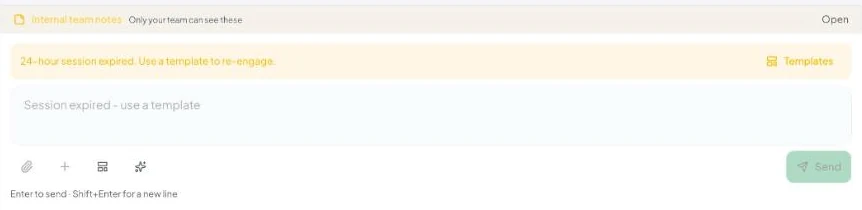
Send a template
- Open the conversation and click Templates (in the yellow banner) or the template icon in the composer.
- Send template lists your approved templates with their category (Marketing, Utility, Authentication) and language.
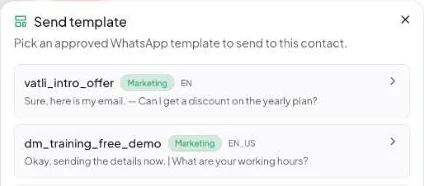
- Click a template. If it has variables, Fill in the placeholders — Meta requires every
{{1}},{{2}}to have a value.
– Header variable / image / video / document — fill the value or provide the media.
– Body values — one box per variable.
– URL suffix value — for link buttons with a dynamic ending; the Final URL previews the full link. - Check the Preview and click Send template.
When the customer replies, the window opens again and you can chat normally for another 24 hours.
Start a conversation with someone new
- Go to Contacts and open the contact (or add them first).
- Click Send template, pick a template, fill the variables and send.
- The conversation appears in the inbox.
No templates in the list?
“No approved templates” means none are approved yet. Create one in Settings → Templates (how), or if you approved templates directly in Meta WhatsApp Manager, click Sync from Meta there.
A template approved in en_US can’t be sent as en — they’re separate templates on Meta. Pick the exact language variant your customer should get.