TL;DR
The short version of this article
- Digital marketing for urgent care centers is about winning a decision patients make in minutes (who is open, close, in-network and quick), and that decision mostly happens in Google's map results.
- The highest-return work is a complete Google Business Profile for every location, a steady flow of reviews, fast location pages with online check-in, and geo-targeted Search ads timed to your hours and the illness seasons.
- Measure check-ins and calls, not clicks, and keep third-party pixels off check-in forms: HIPAA still applies there, and both Google and Meta restrict health-based ad targeting.
In this article
Digital marketing for urgent care centers (and urgent care clinics, walk-in clinics and immediate care practices) is the work of making sure that when someone near you has a fever, a sprained ankle or a cut that needs stitches, your clinic is the one they find, trust and walk into, usually within the hour. It is not like most healthcare marketing. There is no long research journey and no referral cycle. The patient needs care now, picks from two or three options on a phone screen, and goes. This playbook covers what to fix first, how to run ads and seasonal campaigns, how to handle reviews and tracking without breaking HIPAA or ad-platform rules, and how to measure what actually fills the lobby.
A note on how this guide was put together: every statistic below links to its source in the list at the end, and the compliance sections were checked against the current HHS and Google policy pages in October 2026. Where a figure comes from a vendor survey rather than an independent body, we say so.
Urgent care in 2026: the numbers that shape your marketing
| Metric | Figure | Source |
|---|---|---|
| Urgent care centers in the U.S. | 15,101 (January 2026) | Urgent Care Association |
| Growth in centers | about 9,000 in 2016 to about 15,000 in 2024 | Urgent Care Association |
| Patients seen per year | 185 million+ | Urgent Care Association |
| Average patients per center per day | 33.96 in 2025 (33.13 in 2023) | Urgent Care Association |
| People who used urgent care in the past year | 27.6% of the U.S. population (2024) | CDC, NCHS Data Brief No. 562 |
| U.S. population within a 20-minute drive of an urgent care | 89.4% | Urgent Care Association member survey |
| Visits from patients under 40 | 62.8% | Urgent Care Association / JUCM |
| Average urgent care visit vs. median ER wait | 56 minutes vs. 150 minutes | Urgent Care Association (Experity data; Care Transparency) |
| Patients who check online reviews before choosing a provider | 84% | rater8 survey of 1,008 U.S. adults, December 2024 |
What these numbers mean for your marketing:
- Competition is hyper-local. When nearly nine in ten Americans live within 20 minutes of an urgent care, your patient usually sees several options on the map at once. You win on the things the map shows: distance, open hours, star rating, review count and how easy it is to check in.
- Growth comes from taking share. The number of centers keeps rising while visits per center have stayed at roughly 34 a day. For most operators, more patients means winning them from the clinic down the road, not riding a growing market. Adding three patients a day to an average center is close to a 9% lift.
- Your patients are young and on their phones. With 62.8% of visits from people under 40, the journey runs through mobile search, Google Maps, online check-in and text messages.
- Speed is the product. A 56-minute average visit against a 150-minute median ER wait is the single most persuasive fact you have. Say it, and make sure your operations back it up.
How patients actually choose an urgent care
The urgent care decision follows the same five steps almost every time. Each step has one thing that wins it.
| Moment | What the patient does | What wins it |
|---|---|---|
| Something happens | Searches “urgent care near me”, “urgent care open now” or “[symptom] urgent care” | Appearing in the map pack with correct hours |
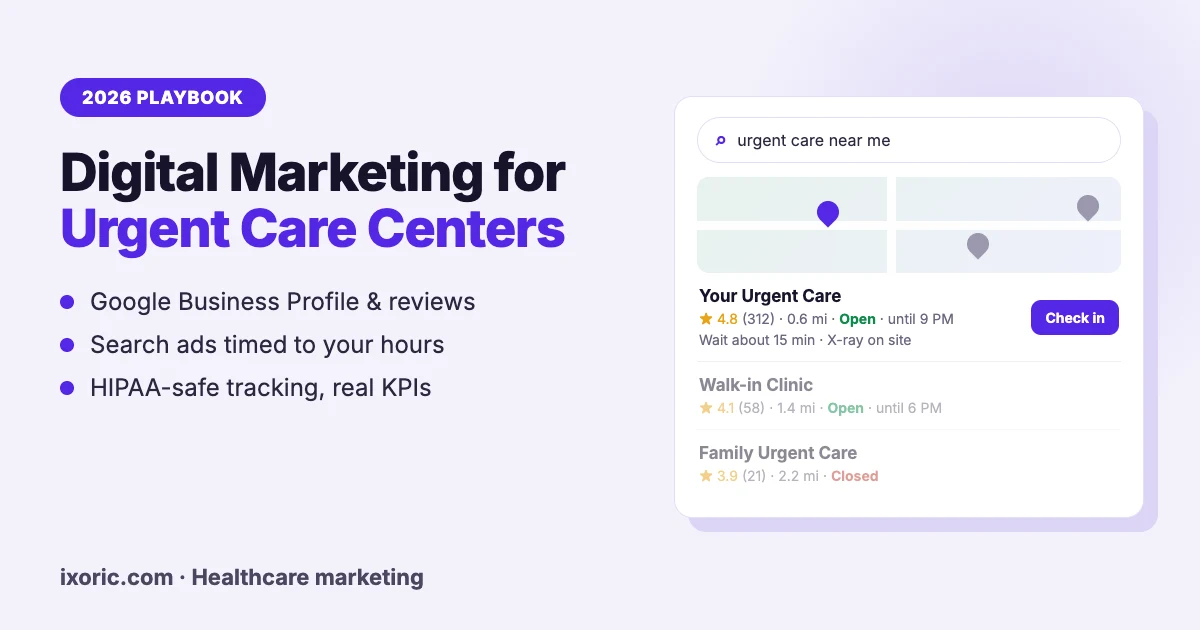
| Comparing two or three options | Glances at stars, distance, open or closed, photos | A 4.5+ rating with recent reviews, accurate hours, a recognizable photo of the building |
| Checking fit | Looks for insurance, services (X-ray, stitches), self-pay price, wait time | A location page that answers all four in ten seconds |
| Acting | Taps call, directions or “check in online” | One-tap check-in and click-to-call |
| After the visit | Gets a follow-up text | A review request and a reason to come back next time |
Most urgent care marketing budgets are spent on the first step and ignore the other four. The clinics that grow fastest fix steps two to five first, because that is where patients who already found you are lost.
1. Google Business Profile: your real homepage
For urgent care, the Google Business Profile is seen far more often than the website. It decides whether you appear for “urgent care near me”, and it is where patients make the comparison. Treat it as the most important page you own.
- Category: set the primary category to “Urgent care center”. Add secondary categories only for services you actually provide, such as “Walk-in clinic” or occupational health services.
- Name: use the name on your signage. Adding keywords (“Best 24/7 Urgent Care Downtown”) breaks Google’s guidelines and is a common cause of suspended profiles.
- One profile per physical location, each with its own phone number and check-in link.
- Hours: keep regular hours exact and set special hours before every holiday. Google’s “open now” filter depends on them, and a patient who drives to a closed clinic leaves a one-star review.
- Services: list each one with a short description: X-ray, laceration repair, flu, COVID and strep testing, school, sports and DOT physicals, vaccinations, occupational medicine.
- Check-in link: point the appointment link to that location’s online check-in page with UTM tags, so you can count check-ins that start on Google.
- Photos: the building from the street (so people recognize it on arrival), the entrance, parking, waiting room, X-ray room and the team. Add new photos every month.
- Posts: use them for seasonal services (flu shots, back-to-school physicals) and holiday hours.
Multi-location operators should manage all profiles in one business group with a consistent naming pattern, for example “Brand Urgent Care – Neighborhood”. Our local SEO and Google Business Profile service covers this setup in detail.
2. Location pages built for a 30-second decision
When a patient taps through from the map, they want four answers before they leave the page: are you open, can I get there, do you take my insurance and how long will it take. Every location page should show these above the fold on a phone:
- Open-now status and today’s hours, with holiday hours.
- Address, map and parking notes, plus a click-to-call phone number.
- A prominent “Check in online” or “Save your spot” button, with a live wait time if your check-in system provides one. Only show wait times that update automatically; a stale number does more damage than none.
- Accepted insurance plans and self-pay prices if you offer them.
- Services available at that location, because X-ray or lab capability often differs between sites.
Build service pages for the reasons people come in (X-rays, stitches, UTI testing, sports physicals, occupational medicine) and an urgent care vs. ER page. These are health topics, so Google holds them to its highest quality bar: each page should be reviewed by your medical director, show their name and credentials, and give clear emergency warning signs (such as chest pain, signs of stroke, severe trouble breathing or heavy bleeding) that should go straight to the ER. Pages like this rank for high-intent searches and are the passages AI assistants quote.
Add MedicalClinic structured data to each location page (address, geo-coordinates, hours, phone and services) and FAQPage markup where you show visible FAQs. Keep pages fast: Google’s Core Web Vitals target is a Largest Contentful Paint under 2.5 seconds, and urgent care traffic is overwhelmingly mobile. Our website development team builds location pages to these specifications.
3. Reviews: the deciding factor on the map
In rater8’s December 2024 survey, 84% of patients said they check online reviews before choosing a provider and 51% read at least six. Because rater8 sells review software, treat the exact figure as directional, but the pattern matches every survey on the subject: on the map, review count, rating and recency often decide between two clinics the same distance away.
How to build a steady flow:
- Ask every patient, by text, after the visit, with a direct link to the location’s Google review form. Most patient-engagement and EMR systems can automate this.
- Do not filter who gets asked. Google’s policy prohibits selectively asking only happy patients (“review gating”) and offering incentives for reviews.
- Reply to every review within two business days, positive and negative.
- Feed complaints back to operations. If reviews keep mentioning long waits on Monday evenings, that is a staffing problem, and fixing it will do more for your rating than any reply.
The HIPAA rule for replies: never confirm that the reviewer was a patient and never mention their visit, condition or treatment, even if they described it themselves. HHS’s Office for Civil Rights has enforced this: a New Jersey practice paid $30,000 in 2023 after revealing patient information in replies to Google reviews, and a Texas dental practice paid $10,000 in 2019 for the same mistake. A safe reply looks like this:
“Thank you for sharing this. We take every concern seriously and would like to talk with you directly. Please call our practice manager at [number] so we can look into it.”
4. Local SEO beyond the profile
Google Business Profile does the heavy lifting, but three supporting signals move map rankings and organic results:
- Consistent listings: the same name, address, phone and hours on Apple Business Connect (Apple Maps), Bing Places, Yelp, insurer provider directories, check-in platforms and your chamber of commerce. Mismatched hours across listings are a common source of “closed when I arrived” reviews.
- Local links and mentions: youth sports leagues (sponsorships and pre-season physicals), schools, local employers for occupational medicine, and local news coverage during flu season. These are links real people follow, which is exactly what Google rewards.
- Seasonal and service content: pages such as “Is urgent care open on Thanksgiving?” (updated every year) or “Sports physicals in [City]” capture searches that happen at predictable times.
5. Google Ads that run only when you are open
Paid search is the fastest way to fill gaps in the schedule, as long as it is built around the way urgent care demand works.
- One campaign per location, targeted by radius (typically a few miles in a city, wider in suburbs) or by the ZIP codes your patients come from.
- Ad schedule matched to opening hours, stopping shortly before closing so you do not pay for clicks you cannot serve.
- Call and location assets on every ad, with copy that answers the comparison questions: “Walk in or check in online”, “Open until 9 pm”, “Most insurance accepted”, “X-ray on site”.
- Keywords built on intent: “urgent care near me”, “walk-in clinic”, “urgent care [neighborhood]”, and service terms such as “stitches near me” or “sports physical [city]”.
- Negative keywords from day one: jobs, careers, salary, nursing jobs, and services you do not offer.
- Bid on real outcomes: calls over 60 seconds, completed online check-ins and direction clicks, not page views.
Know the targeting limits before you plan. Google treats health conditions as a sensitive category: ads on those topics cannot use customer match, your own data segments (including remarketing lists) or lookalike audiences, while location targeting and Google’s predefined audiences remain available. In practice, urgent care advertising on Google is a search-intent and location game, not a retargeting game. Our performance marketing team builds healthcare campaigns around these rules.
6. Social media and Meta ads: awareness, not conversions
Meta began restricting health and wellness advertisers in January 2025: many can no longer optimize campaigns for lower-funnel events such as purchases or booked appointments, and Meta has since been restricting custom and lookalike audiences, and event names, that suggest a health condition. Meta’s own documentation on this is thin, and most detail comes from agencies and tracking vendors, so check your account’s status in Events Manager before planning around conversion campaigns.
Use Facebook and Instagram for what they still do well:
- Local awareness: short videos of the clinic, the team and the check-in process, targeted by location.
- Seasonal reminders: flu shots, back-to-school and sports physicals, holiday hours.
- Community presence: sponsorships, school events, staff introductions and hiring posts.
Neighborhood platforms such as Nextdoor are worth testing for new locations, where awareness, not consideration, is the bottleneck.
7. Plan around the urgent care calendar
Urgent care demand is seasonal and predictable. Plan campaigns, staffing and content four to six weeks ahead of each peak.
| When | What drives visits | What to run |
|---|---|---|
| January to March | Flu, RSV, COVID and strep | Testing and treatment messaging, extended-hours ads, wait-time updates |
| March to May | Allergies and spring sports injuries | X-ray and injury care, sports league partnerships |
| June to August | Camp and sports physicals, outdoor injuries, travel | Physicals campaigns, school and camp partnerships |
| August to September | Back-to-school physicals and vaccinations | Parent-focused location ads, school newsletters |
| September to November | Flu shots | Flu shot posts, profile updates, employer flu clinics |
| November to December | Holidays and closures elsewhere | Special hours on every listing, “open on [holiday]” pages |
| All year | Occupational medicine (DOT physicals, drug screening, workers’ comp) | Employer outreach by email and LinkedIn, chamber of commerce events |
Occupational medicine deserves its own plan. Employers are repeat B2B customers who send a steady flow of patients, and they are reached through direct outreach rather than consumer ads.
8. Tracking and privacy: measure without leaking patient data
You cannot improve what you do not measure, but urgent care tracking carries legal risk. The rules as they stand in October 2026:
- What changed in 2024: in *American Hospital Association v. Becerra*, a federal court on June 20, 2024 vacated the part of HHS’s tracking-technology guidance that said HIPAA applies simply because a tracking tool records an IP address on a public page about health conditions. HHS withdrew its appeal in August 2024.
- What still applies: HIPAA continues to cover tracking on logged-in pages (patient portals) and on pages where people enter health information, which for urgent care means online check-in, booking and intake forms. State laws such as Washington’s My Health My Data Act and FTC enforcement apply on top.
- Google Analytics: Google does not offer a Business Associate Agreement for Google Analytics, so it must not receive patient information.
A practical, privacy-safe setup:
- Keep advertising pixels (Meta, Google Ads, TikTok) off check-in and intake pages entirely.
- Use a HIPAA-compliant analytics or server-side tagging vendor that will sign a BAA, and strip identifiers before anything reaches ad platforms.
- Record conversions as neutral, anonymous events (“check_in_completed”, “call_60s”) with no symptom, service or condition in the name or parameters.
- Use a call-tracking provider that signs a BAA.
- Add a “How did you hear about us?” field in the EMR and reconcile it with check-in source data every month.
This is general guidance, not legal advice. Review your setup with your compliance counsel before changing tags.
9. Be the answer in AI search
Patients now ask ChatGPT, Gemini and Google’s AI Mode questions such as “urgent care open now near me” or “should I go to urgent care or the ER for a sprained ankle?” These answers are assembled from Business Profile data, location pages, reviews and well-structured clinical content.
To be included:
- Keep hours, address and services consistent everywhere, in plain text rather than images.
- Write location and service pages answer-first: the direct answer in the first two sentences, then the detail.
- Publish the clinician-reviewed urgent care vs. ER content described above, with the reviewer named.
- Add structured data and visible FAQs.
Our AI SEO service and AEO checklist explain how this works in more detail.
10. What to measure, and how to set a budget
| Metric | Why it matters | Where to find it |
|---|---|---|
| Map-pack position for “urgent care near me” across each location’s radius | The single best leading indicator of new-patient flow | A local rank-grid tool |
| Calls, direction requests and website clicks from the profile | Direct demand from Google | Google Business Profile performance |
| Online check-ins started and completed | The conversion you actually want | Your check-in platform |
| New patients by source | Ties marketing to visits | EMR “how did you hear” field plus check-in UTMs |
| Cost per completed check-in or new patient | Tells you which channel to scale | Ad platforms plus check-in data |
| Review count, rating and new reviews per month | Drives ranking and choice | Google Business Profile |
| Door-to-provider time | Drives reviews and repeat visits | Operations data |
There is no correct percentage of revenue to spend. Work backwards from what a new patient is worth to you. An illustrative calculation, using inputs you should replace with your own collections data: if average net collection is $150 per visit, a new patient returns 1.5 times a year, and you accept 30% of that first-year value as acquisition cost, you can afford about $67 to acquire one new patient. Start with the low-cost work (profile, reviews, location pages), then add Search ads and scale them only while cost per new patient stays under that number.
A 90-day plan for one location
- Weeks 1–2: audit and fix the Google Business Profile (category, hours, services, photos, check-in link with UTM tags), and audit every tag on the check-in flow.
- Weeks 3–4: rebuild the location page around the four questions, switch on automated review requests, and correct listings on Apple, Bing, Yelp and insurer directories.
- Month 2: launch a Search campaign for the location with call and location assets, negative keywords and privacy-safe conversion tracking; publish the first seasonal profile posts.
- Month 3: publish two or three clinician-reviewed service pages, start one local partnership (a school, league or employer), and report on map rank, calls, check-ins and reviews per month.
Mistakes we see most often
- Holiday hours left unchanged, sending patients to a locked door.
- Keyword-stuffed business names that get profiles suspended.
- One page for every location, so none of them ranks locally.
- Advertising pixels firing on check-in and intake forms.
- Remarketing lists built from symptom pages, which break ad-platform rules and create privacy risk.
- Review replies that confirm a patient’s visit or condition.
- Reports built on impressions and clicks instead of check-ins and new patients.
How Ixoric can help
We are a digital marketing agency, not an urgent care operator, and we will not pretend otherwise. Our healthcare work includes local SEO, content and Meta Ads for Shivansh Women’s Hospital, where organic clicks grew 737% in four months, and Google Ads for Talkthru.me, a U.S. mental-health app, at $0.88 per conversion. If you want a second opinion on your profiles, location pages, ads and tracking, see our healthcare digital marketing page or request a free audit. For other specialties, read our complete guide to digital marketing for clinics.
FAQ: digital marketing for urgent care centers
What is the best marketing strategy for an urgent care center?
Start where patients decide: a complete Google Business Profile for each location, a steady flow of reviews, and fast location pages with online check-in. Then add geo-targeted Google Search ads that run only during opening hours, and plan seasonal campaigns around flu season and back-to-school physicals.
How much should an urgent care center spend on marketing?
There is no standard percentage. Calculate what a new patient is worth over a year, decide what share of that you will spend to acquire one, and scale each channel only while its cost per new patient stays under that limit. The profile, reviews and location pages cost little and should come first.
Can urgent care centers use the Meta Pixel or retargeting?
With care. HIPAA still applies to tracking on check-in, booking and intake pages, so advertising pixels should not fire there. Google does not allow remarketing lists or customer match on ads about health conditions, and Meta has restricted lower-funnel optimization and health-related audiences for many health advertisers since 2025.
How do I get my urgent care to show up for “urgent care near me”?
Set the primary category to “Urgent care center”, keep hours exact, list your services, earn reviews consistently, keep your name and address identical across listings, and link the profile to a fast location page. Proximity matters most, so each physical location needs its own profile and page.
Should urgent care centers show wait times online?
Yes, if the number updates automatically from your check-in system. Live wait times and “save your spot” buttons help patients choose you over a nearby competitor. A wait time that is out of date does more harm than showing none.
Does this apply to urgent care clinics and walk-in clinics?
Yes. Digital marketing for urgent care clinics works the same way as for urgent care centers: patients compare open hours, distance, ratings and wait times on the map, then check in or call. The main difference is scale. A single urgent care clinic should concentrate on one complete Google Business Profile, reviews and a fast location page before paying for ads, while multi-site groups add a page, a profile and a Search campaign for each location.
How long does urgent care SEO take?
Profile fixes such as correct hours, categories and photos can change map visibility within weeks. Steady ranking gains usually take two to four months of reviews, listings and location-page work, and content for service and seasonal searches builds over six months or more.
Sources
- Urgent Care Association, “Urgent Care Data” (center count, visits per day, patients per year, age mix, drive-time access, visit and ER wait times), accessed October 2026.
- CDC, National Center for Health Statistics, Data Brief No. 562: Urgent Care Center and Retail Health Clinic Use, United States, 2024, May 2026.
- rater8, “How Patients Choose Their Doctors” 2025 report (survey of 1,008 U.S. adults, December 2024; vendor-sponsored).
- HHS, Use of Online Tracking Technologies by HIPAA Covered Entities and Business Associates.
- Ropes & Gray, “Federal Judge Vacates Key Points of HHS OCR HIPAA Online Tracking Technology Guidance”, June 2024.
- Google Ads policy, “Health in personalized advertising”.
- Triple Whale, “Meta’s Health and Wellness Restrictions” (secondary summary of Meta’s 2025 changes).
- HIPAA Journal, “$30,000 Penalty for Disclosing PHI Online in Response to Negative Reviews”, June 2023.
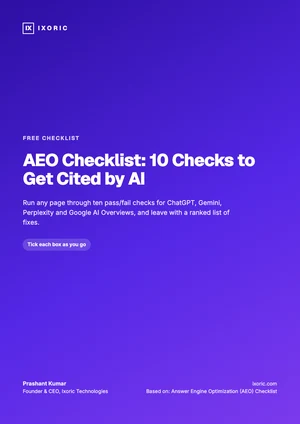
Free checklist · PDF
AEO Checklist: 10 Checks to Get Cited by AI
- Pass/fail tests for ChatGPT, Gemini and AI Overviews
- Priority and time estimate for each check
- A monthly AI citation log
Your checklist is ready.
Download the PDFWas this article helpful?
What was wrong with it?
Take this article to your AI
Get a summary, ask questions, or turn these ideas into a plan for your team.
Opens your AI with the article ready to go — for Gemini, the prompt is copied so you just paste.
Get new articles from Ixoric
Practical SEO, AI search and growth guides, about twice a month. No spam, unsubscribe any time.
You're subscribed
We'll send you new articles as they're published.
Follow us on Google
Add Ixoric as a preferred source to see our articles first in Google results.