Import contacts from a CSV file
Upload a CSV with a phone column and optional name, email, company, tags, consent and country code — duplicates are skipped automatically.
Who can do this: Owner, Admin, AgentPlan: All plansTime: 2 minutes
1. Prepare your CSV
Save your spreadsheet as CSV (comma-separated). The first row must be the column headers.
| Column | Required | What to put in it |
|---|---|---|
phone |
Yes | The WhatsApp number, ideally in full international form: +919876543210. |
name |
No | Contact name. |
email |
No | Email address. |
company |
No | Company name. |
tags |
No | One or more tag names separated by commas or semicolons. Wrap the cell in quotes if it has commas: "VIP, Patna". |
country_code |
No | The country code in its own column — 91, +91 or IN. Use it when your numbers don’t include the code. |
whatsapp_consent (or consent) |
No | yes / opted_in / subscribed marks consent; no / opted_out / unsubscribed / stop marks the contact as opted out. Blank leaves it unstated. |
Example:
phone,name,email,company,tags,country_code
9876543210,Priya Sharma,priya@example.com,Sunrise Realty,"Hot lead, Patna",91
+14155550123,Rahul Verma,,,"Webinar",
Don’t put a number without its country code in the phone column and leave country_code blank unless your default country is set — Vatli would otherwise have to guess, and a wrong guess messages a stranger.
2. Upload it
- Go to Contacts and click Import.
- Click Click to choose a CSV file and pick your file.
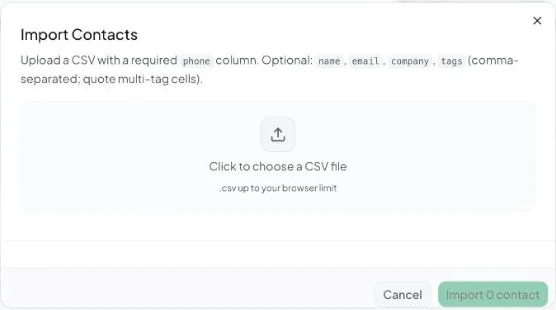
- Review the Preview of the first rows and the tag summary. Tags that don’t exist yet are marked “(will be created on import)”.
- Click Import N contacts.
3. Read the result
| Result | Meaning |
|---|---|
| Imported | New contacts created. |
| Tags assigned | Tag links applied. |
| Skipped | Numbers that already exist as contacts (duplicates are never created twice). |
| Failed | Rows that couldn’t be saved — usually an invalid number. |
“No valid rows found. Ensure CSV has a “phone” column header.” means the header row is missing or misspelled.
Importing is only for building your list. To message an uploaded list straight away without keeping it, use Broadcasts → New Broadcast → Upload CSV instead. See Choose a broadcast audience.