What is Vatli? A tour of the WhatsApp API & CRM
Vatli connects your business number to the official WhatsApp Business API and gives your team one inbox, a CRM, campaigns, automation and AI on top of it.
Vatli is a WhatsApp Business API platform and CRM built by Ixoric. It connects your business phone number to Meta’s official WhatsApp Cloud API, so your whole team can talk to customers from one shared inbox — instead of one phone passed around the office.
This page gives you the map. Every area below has its own collection of step-by-step guides.
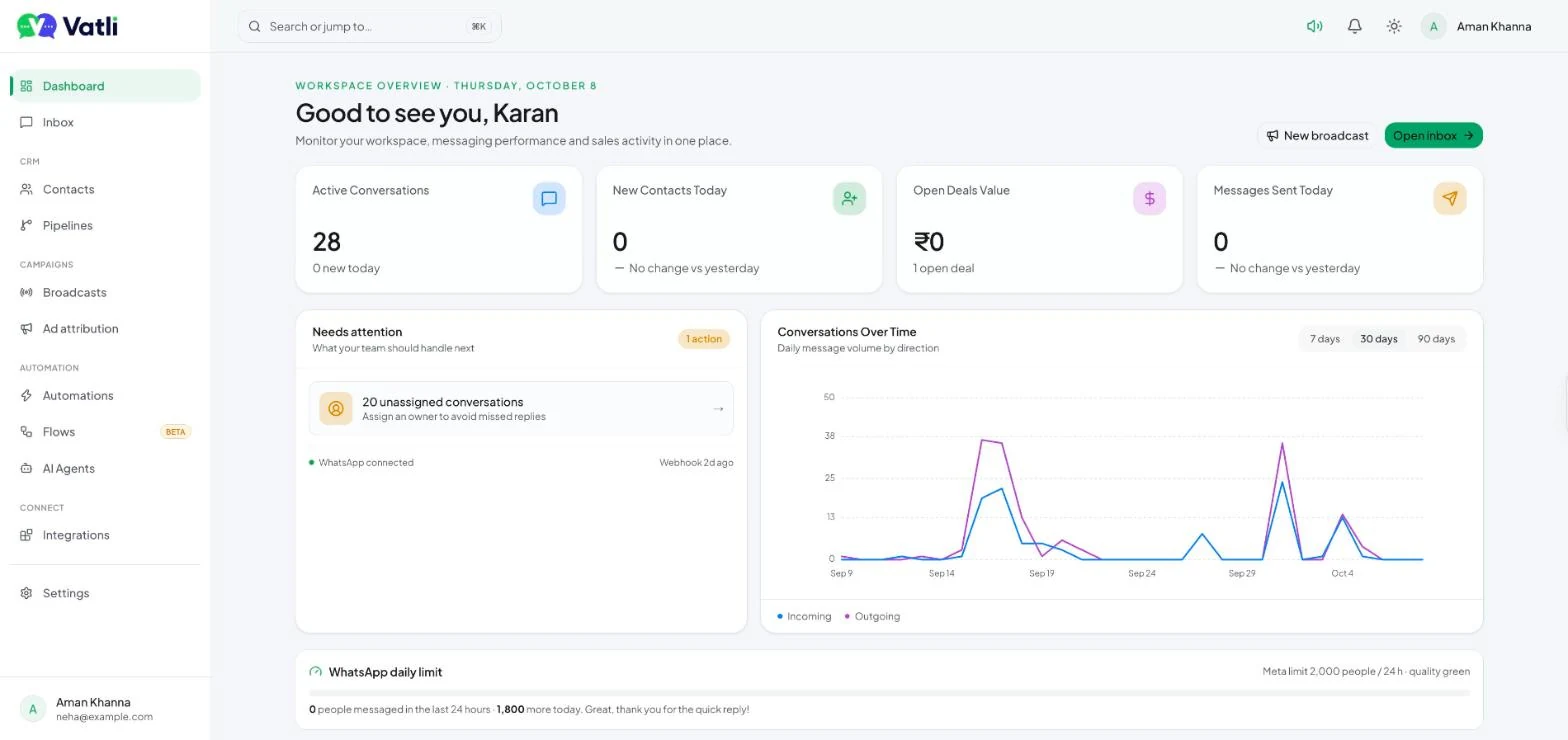
What you can do with Vatli
| Area | What it does | Where in Vatli |
|---|---|---|
| Team Inbox | Every WhatsApp chat in one place. Assign chats, leave internal notes, reply with text, media, templates or buttons. | Inbox |
| Contacts | Your customer list with tags, custom fields, consent status, CSV import/export and Google Sheets sync. | Contacts |
| Pipelines | A Kanban sales board. Turn chats into deals and move them stage by stage. | Pipelines |
| Templates | Create WhatsApp message templates and submit them to Meta for approval. | Settings → Templates |
| Broadcasts | Send an approved template to thousands of contacts with personalisation, scheduling and delivery reports. | Broadcasts |
| Automations | “When this happens, do that” rules — auto-replies, tagging, assignment, follow-ups, HubSpot triggers. | Automations |
| Chatbot Flows | Button and list menus that answer customers before an agent steps in. | Flows |
| AI Agents | An AI assistant that drafts replies or answers automatically from your knowledge base, plus a website chat widget. | AI Agents |
| Ad attribution | See which Click-to-WhatsApp ad brought each lead and how much revenue it produced. | Ad attribution |
| Integrations & API | HubSpot, Google Sheets, a REST API, signed webhooks and an MCP server for AI assistants. | Integrations, Settings |
How Vatli works with Meta
Vatli is not an unofficial WhatsApp tool. Messages travel through Meta’s Cloud API, which means:
- You need a WhatsApp Business Account (WABA) and a phone number registered to it. Vatli’s one-click signup creates or links these for you.
- To start a conversation, or to message someone more than 24 hours after they last wrote to you, you must use a template that Meta has approved. Inside the 24-hour window you can reply freely. See The 24-hour customer service window.
- Meta charges per template message (marketing, utility, authentication). These charges are separate from your Vatli plan. See WhatsApp pricing explained.
- Meta sets a daily limit on how many people you can message, which grows as your number builds a good quality rating. Vatli shows it on the dashboard and queues anything beyond it. See Messaging limits and quality rating.
Who Vatli is for
Vatli is built for teams that sell or support on WhatsApp — real estate, clinics, education, e-commerce, agencies and service businesses. A typical setup is:
- Marketing runs Click-to-WhatsApp ads and broadcasts.
- Leads land in the shared inbox, where a chatbot flow or the AI assistant answers first.
- Agents take over, qualify the lead and create a deal in the pipeline.
- Automations send reminders and follow-ups; reports show which ads and campaigns produced revenue.