Test the AI in the Playground
Chat with your AI agent as if you were a customer — using your real prompt and knowledge base — without sending anything on WhatsApp.
Who can do this: Anyone who can open AI AgentsPlan: All plans with AI enabled
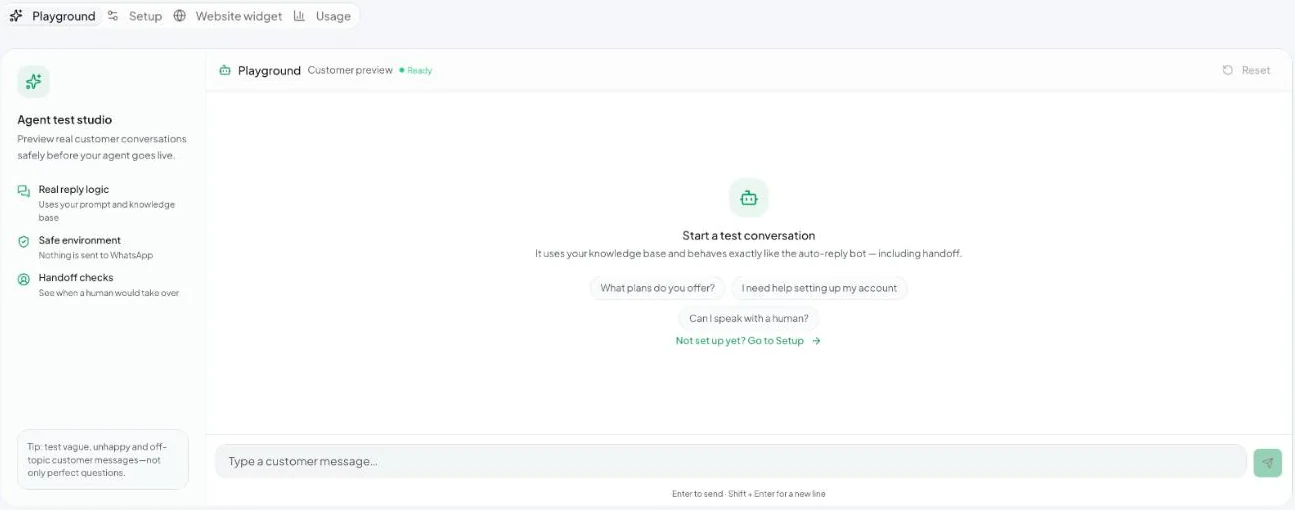
The Playground uses the same reply logic as the live auto-reply bot, including handoff, but nothing is sent to WhatsApp.
Run a test
- Go to AI Agents → Playground.
- Type a customer message, or click a suggestion such as What plans do you offer? or Can I speak with a human?
- Press Enter to send (Shift + Enter for a new line).
- Click Reset to start a fresh conversation.
What to test
- Vague questions — “how much?”, “details please”.
- Unhappy customers — check that it hands off rather than arguing.
- Off-topic questions — it should politely decline.
- Things it must not promise — discounts, delivery dates, refunds.
- Your language mix — Hindi, Hinglish, English.
If an answer is wrong, fix the business context or add a knowledge base document, then test again.