Reports — WhatsApp usage, delivery and team performance
Every number on the Reports page explained — Meta insights and charges, messaging limit, account health, deliverability, template health, pipeline, response time and plan usage.
Who can do this: Anyone who can open the DashboardPlan: All plansWhere: Dashboard → Reports
Open Dashboard and click Reports, or press ⌘K / Ctrl+K and type Reports.
WhatsApp Business Insights
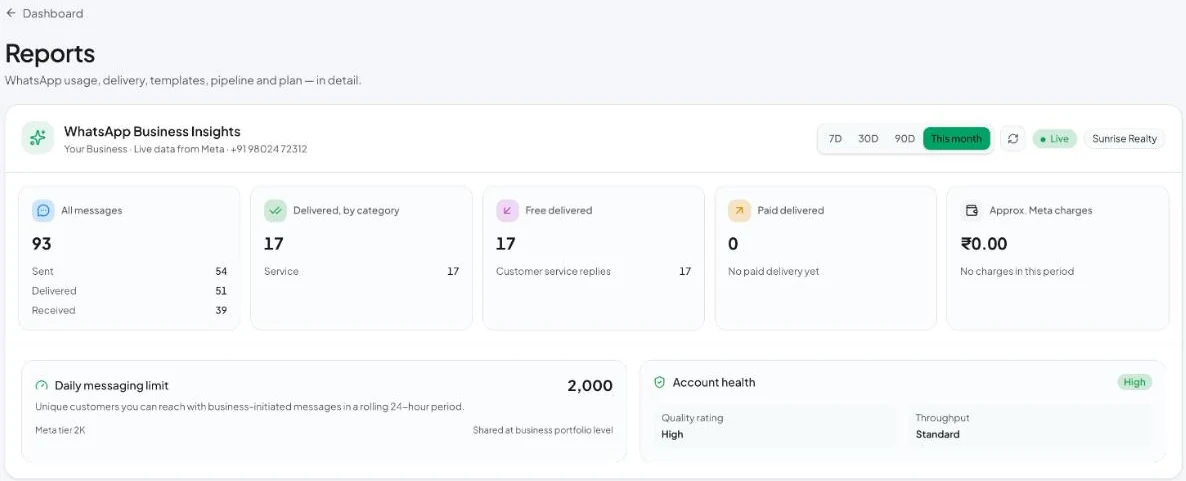
Live data from Meta for your connected number. Choose 7D, 30D, 90D or This month.
| Card | Meaning |
|---|---|
| All messages | Sent, delivered and received in the period |
| Delivered, by category | Delivered messages split into Marketing, Utility, Authentication and Service |
| Free delivered | Messages Meta didn’t charge for, such as service replies within the 1,000 free each month |
| Paid delivered | Messages Meta charges for |
| Approx. Meta charges | An estimate of Meta’s charges. Your Meta invoice is the final figure. |
| Daily messaging limit | How many unique customers you can reach with business-initiated messages in a rolling 24 hours, and your Meta tier. See Messaging limits. |
| Account health | Quality rating (High / Medium / Low) and throughput |
Message deliverability and template health

- Message deliverability — Sent, Delivered %, Read % and Failed for the last 30 days. Click Failed to investigate; see Meta error codes.
- Template health — how many templates Meta rates Green, Yellow, Red or Unrated. Fix or pause Red templates quickly. See Template approval and quality.
Pipeline, response time and plan usage
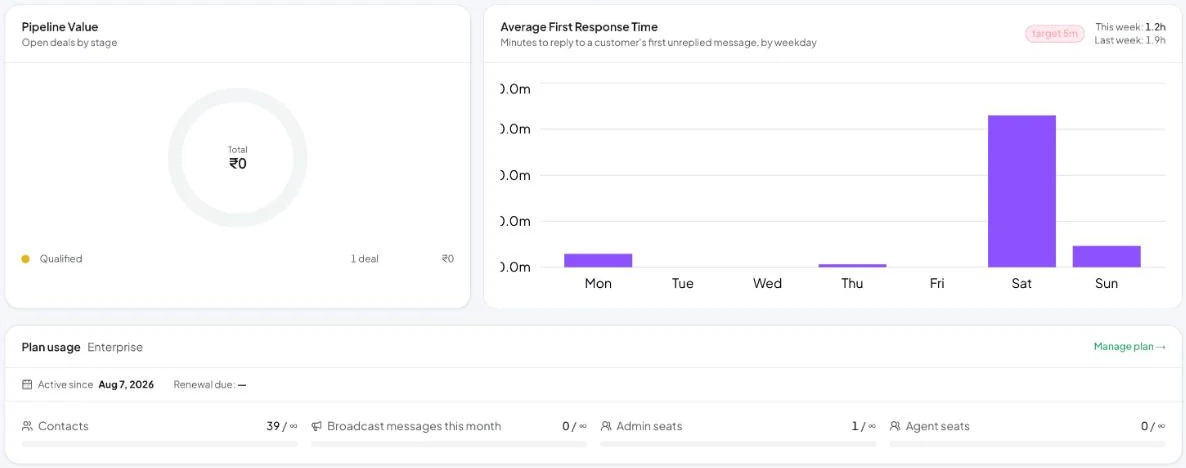
- Pipeline Value — open deals by stage, with total value.
- Average First Response Time — minutes to reply to a customer’s first unreplied message, by weekday, compared with a 5-minute target. This week and Last week are shown at the top right.
- Plan usage — your plan, contacts, broadcast messages this month, admin seats and agent seats against your limits. Manage plan opens Billing.
Response time is the strongest lever on WhatsApp conversion. Use assignment, quick replies and AI drafts to bring it down.