
Webflow Technical SEO – Digital performance depends on technical SEO as the primary factor in maximising the potential of your Webflow site in the competitive online market. Readers will find a complete guide in this file that details complex practices for improving search engine performance, enhancing user experiences, and achieving superior rankings.
What is a Webflow Website Development Platform?
Webflow provides a strong no-code web development solution that enables businesses to build exceptional professional websites through its able features and user-friendly interface. Webflow differs from conventional website builders because it provides professional design tools with search engine optimization features, which help businesses gain market superiority in digital environments.
Advantages and Disadvantages of Webflow
Advantages:
- Clean, semantic HTML code generation
- Built-in SEO optimization tools
- Responsive design capabilities
- Fast page loading speeds
- Easy content management
- Automatic sitemap generation
Disadvantages:
- The system provides less sophisticated SEO configurations than the WordPress platform does.
- The potential learning curve for complex technical SEO implementations
- The platform costs somewhat more than several competing platforms do
What is Webflow Technical SEO?
The backend optimization of Webflow websites under Technical SEO deals with enhancing search engine indexing and site performance alongside crawling capabilities. Multiple technical aspects that determine site visibility and ranking abilities need precise adjustments during this process.
Comprehensive Webflow Technical SEO Checklist
1. Strategic URL Architecture
Url structure is more important for Webflow technical SEO or any of the other platforms you are using in 2025. The major benefits of the URL structure is search engines find it easy to understand your pages and have no issues with the indexing.
This is the first topic of your URL structure; it affects the way that search engines and users will understand it.
Best Practices:
- Use SEO-friendly descriptive URLs that describe the page’s content.
- As great care in linking each page, resort to static URLs with no dynamic parameters (e.g., &id=123).
- Have URLs less than 60 characters for better readability and indexing.
Example:
- Optimal: www.yoursite.com/seo/local-seo-strategies
- Avoid: www.yoursite.com/page?id=12345
Advanced Tips:
- Word separation is done using hyphens (-).
- The URL structure here is consistent throughout the site.
- Perform keyword research to align URL with user intent.
2. Mobile-First Optimization
In 2025, most users will use mobile phones to explore the available content over the internet, but the problem is that approximately 47% of websites are not ready for mobile-first indexing and many issues are there, so the problem is their use are not able to navigate your website easily. So Webflow has the best no-code platform to fix those issues without any hassle, and the user experience (UX) is better.
Mobile responsiveness is not negotiable as half of the web traffic occurs on mobile devices.

Responsive Design Pillars:
- The markup should have fluid layouts, and so should their adaptive elements.
- Make sure it is equipped with mobile-friendly navigation.
- Make sure the Largest Contentful Paint (LCP) and Cumulative Layout Shift (CLS) look optimized.
Verification Tools:
- Google Mobile-Friendly Test
- PageSpeed Insights: Real-world device testing
Sometimes you can create a simple web design without any effort using Webflow tools, but it is still recommended to always check your site on more than one device to make sure it works well.
3. Sitemap Supremacy
A sitemap is part of technical SEO, but a better arrangement of your pages, categories, posts, and tags is more important. So it is beneficial to index your website easily and to understand your website structure.
A sitemap is organised well, which improves crawlability and indexing.
XML Sitemap Optimization:
- This will automatically generate your sitemaps in Webflow under the Project Settings > SEO tab.
- Sitemap to Google Search Console for faster indexing.
- Update your sitemap as needed with new or nonexistent pages.
HTML Sitemap Benefits:
- Improves user navigation.
- Enhances internal linking opportunities.
- It offers a complete content overview for users as well as for crawlers.
4. Robots.txt Configuration
Determine how search engines crawl your site with a properly configured robots.txt file.
Best Practices:
- Block indexing of staging domains or pages that are sensitive (such as admin panels).
- Permit that indexes high-value content pages.
- Study your robots.txt file regularly to see that it matches your SEO orientation.
5. Google Ecosystem Integration
Use Google’s tools to see actionable insight into your site’s performance.
Essential Tools:
- By indexing, you can leverage Google Search Console (indexing and performance tracking).
- Google Analytics (for user behaviour analysis)
- Google Tag Manager (for advanced tracking)
- Google Data Studio (for custom reporting)
If the integration has been done properly, you can also effectively monitor metrics like CTRs, bounce rates, and keyword rankings.
6. Schema Markup Implementation
Schema markup is helpful to search engines to know what content is about, and thus, rich snippets come up in search.
Types of Schema to Implement:
- Organization schema
- Local business schema
- Product schema
- FAQ schema
- Article schema
Structured data should be implemented using JSON-LD format. To best integrate, Webflow offers demand injection for custom code. Use Google’s Rich Results Test tool to validate your schema.
7. Breadcrumb Navigation
It is useful for breadcrumbs because it shows the direction to the user.
Implementation Tips:
- Map out logical site hierarchies.
- Therefore, use breadcrumb schema markup for a better SEO impact.
- Make sure that the breadcrumbs are available and responsive as well as visually present and consistent for different devices.
8. Broken Link Management
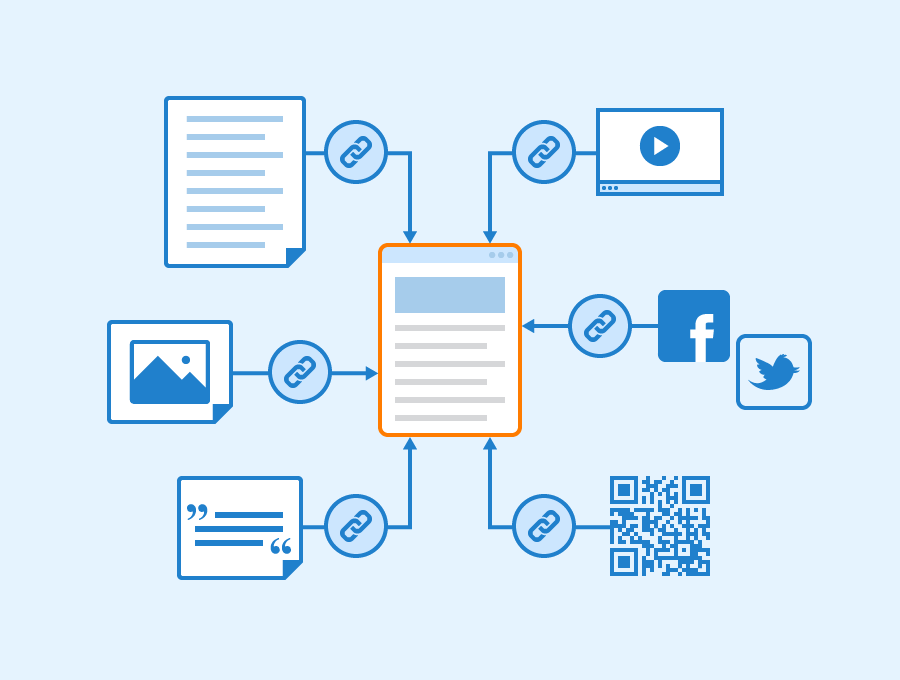
Although broken links will not affect your SEO rankings directly, they will slow down your site and, as a side effect, mislead users.
What are backlinks, and how do you build them? – Seobility Wiki
Steps to Fix Broken Links:
- So be sure to conduct an audit using tools like Screaming Frog or Ahrefs regularly.
- Redirect all outdated URLs with the proper code (301).
- Regularly monitor whether external links are active or not.
9. 404 Error Handling
Optimized error pages help turn dead ends into opportunities.
Best Practices for Custom Error Pages:
- Branded design with clear navigation options should be included.
- Users will add a search bar to aid in finding the relevant content.
- You can find the most common issues by using analytics tools and tracking error page visits.
10. Resolve Canonical Errors
Duplicate content issues can confuse search engines and bring diluted rankings; therefore, canonical tags are necessary.
Why Canonical Tags Matter
Search engines often consider URLs with minor differences (e.g. https://example.com vs https://www.example.com) as different pages. If these duplicates don’t have canonical tags attached to them, they could compete in search rankings against each other.
Compromise: How to Implement Canonical Tags in Webflow
1. Global Canonical Tags:
- Go to Site Settings > SEO on Webflow.
- The base canonical URL should be set(https://yourdomain.com). This will be applied all over the pages.
2. Page-Specific Canonicals:
For scenarios such as one set of pages for one campaign and another set of one page for the same campaign, manually insert canonical tags in the page’s custom code settings.
xml
<link rel=”canonical” href=”https://yourdomain.com/preferred-page” />
3. Verification:
- Check “Duplicate without user-selected canonical” errors on Google Search Console.
- Using the “Inspect URL” feature, confirm the proper canonicalization for each URL.
- But always make sure that the canonical tag is directed to the most authoritative page.
11. Implement 301 Redirects
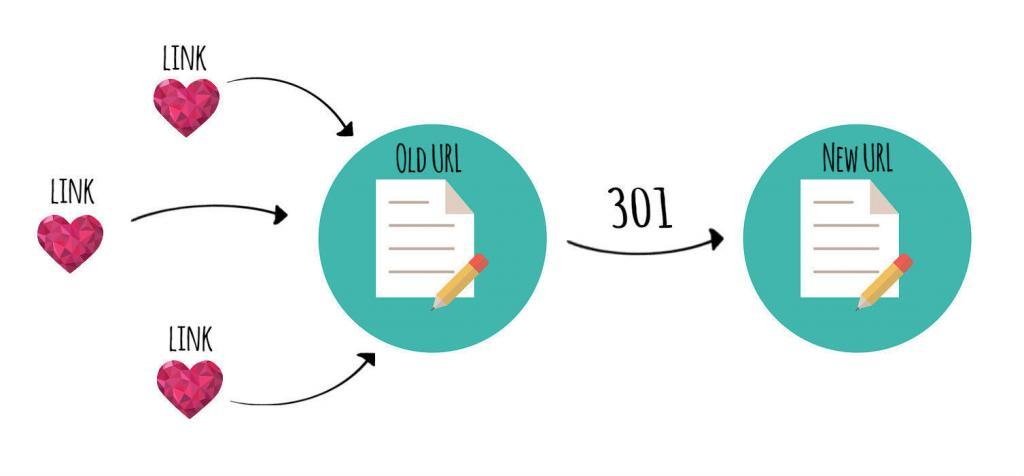
Links Equity is at stake, as well as user experience, when URLs change, a 301 redirect is critical.
Top Use Cases: When to Use 301 Redirects & How to Properly Do It
Why Use 301 Redirects?
Deleting or updating a URL means telling search engines that the page has moved permanently using a 301 redirect. However, holding on to SEO value and not letting users end up on 404 error pages is preferred.
Redirects in Webflow
- Navigate to 301 Redirects under ‘Go to Site Settings’ > ‘Publishing.’
- You should enter the old URL path (for example: /old-page) and the new URL path (such as: /new-page).
- Finally, once you click “Add Redirect” and then publish your changes, your URL will be pointing to the current running version of your Airlock.
Best Practices
- Do not go through a series of redirects (e.g. A → B → C). Redirect to the final destination always.
- The old URL is entered into your browser and should take you to the new page without any errors.
Pro Tip: Your options to identify and create a redirection strategy for broken links are tools such as Screaming Frog or Ahrefs.
12. Optimize Website Speed
In 2025, it will be more important to load your website within 2.5 sec on all devices and also consider it as a ranking. So it’s an important factor to increase page speed and improve user engagement on website pages.
Both page speed and user experience relate to the critical ranking factor of page speed.

Optimize Website Speed
Steps to Optimize Speed on Webflow
Compress Images:
- Slide down to TinyPNG or WebP format to leave out the big file size without compromising quality.
- Enable lazy loading of images beyond the fold.
Minimize Custom Code:
- Remove unnecessary JavaScript and CSS.
- Consolidate files where possible.
Leverage Browser Caching:
- To configure caching headers, use your hosting provider or the Webflow settings.
Use Performance Tools:
- A good site test is Google PageSpeed Insights and GTmetrix.
Core Web Vitals dictate a Largest Contentful Paint (LCP) of 0.1 and a Cumulative Layout Shift (CLS) under 0.1 on PageSpeed Insights, and the Pro Tip is to aim for a score of 90+ on PageSpeed Insights.
13. Leverage Google Search Console’s “Inspect URL” Feature
Google Search Console is an important tool to identify the what is the exact problem with your website. In simple terms, we explain that the search console is “Website to server” if there are any issues in your website search, so you can easily figure out and fix them with the help of your technical expert.
Google Search Console is an essential tool to use in fixing SEO problems.
How to Use the Inspect URL Feature
- Go to Google Search Console.
- In the ‘Inspect URL’ field, enter a particular URL.
- Verify the status of review, indexing, crawlability, and errors.
Benefits
- Submit a request to the indexer for newly updated pages.
- Find problems such as blocked resources or missing things such as canonical tags.
- Some of the performance metrics that you should monitor for search include impressions and click-through rates.
Insight: Investigate regularly upvoted pages to make sure they are indexed.
14. Ensure HTTPS Security
Encrypting data is behind HTTPS, which is a signal of ranking and builds trust between users.

Steps to Secure Your Webflow Site
- From Webflow, enable SSL from Site Settings > Hosting.
- All HTTP traffic should be redirected to HTTPS automatically.
- Replace internal links pointing to HTTP with their HTTPS variant.
Benefits
- Protect sensitive user data.
- Improve search engine trust signals.
- Disable the “Not Secure” warning in the browser.
15. Find and Fix Crawl Errors
Search engine systems cannot access content effectively when crawl errors occur.
How to Identify Crawl Errors
Analyse your website errors through Google Search Console’s “Coverage” report to detect problems.
- Server errors (5xx)
- DNS issues
- Blocked resources
Regular audits should be performed with Screaming Frog and similar tools.
- Fixing Crawl Errors
- Resolve server-side issues promptly.
- All essential pages should be reachable through internal link connections.
- Update robots.txt if necessary.
16. Check Page & Crawl Depth
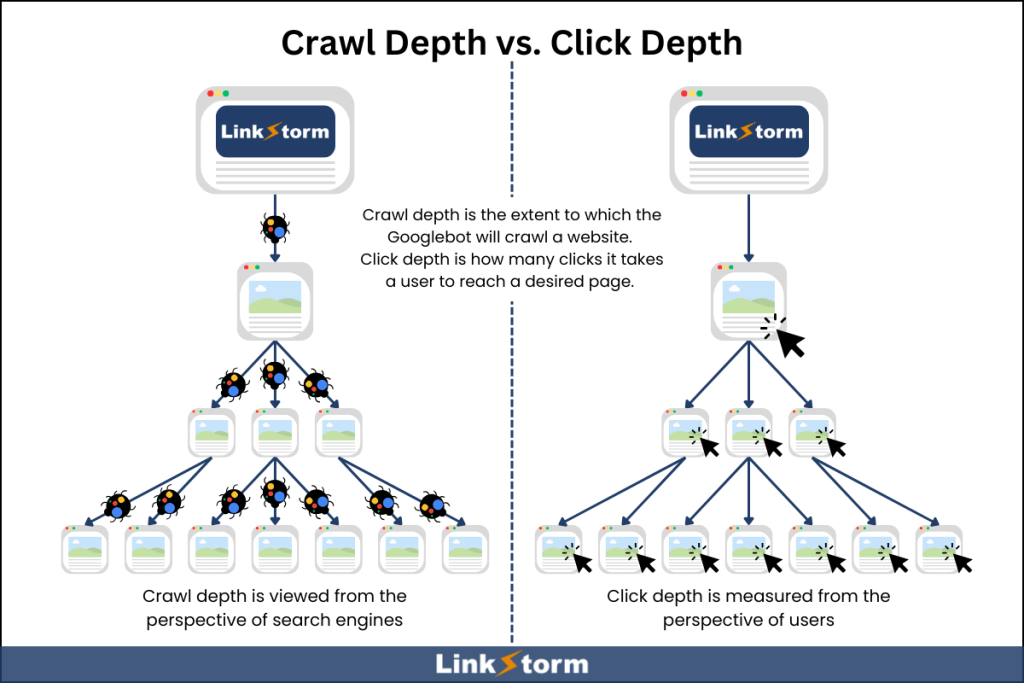
Site page depth indicates the number of successive clicks required to access any page starting from the home page.
Optimization Tips
- Reaching pages beyond 3 to 4 clicks from the homepage should be restricted.
- Internal linking should be strengthened through connections between content clusters that are relevant to each other.
- Breadcrumb navigation improves crawlability and should be used for this purpose.
17. Verify Site Versions
Different versions of your website (for example, www versus non-www) may lead to duplicate content problems on the web.
Steps to Consolidate Versions
- Every website needs to set its preferred domain address in Google Search Console, which should be https://www.example.com.
- The establishment of 301 redirects will redirect both non-preferred version addresses to the selected preferred URL address.
- Update all internal links accordingly.
18. Identify and Fix Orphaned Pages
Pages with no internal links have trouble being discovered by search engines because they remain inaccessible to crawlers.
How to Fix Orphaned Pages
- Tools such as Screaming Frog or Ahrefs help identify webpage orphanages through their platforms.
- Provide strategic internal links between pages of high authority that are relevant to each other.
- All significant content inside your site structure needs to be linked to each other.
19. Add Alt Tags to Images
People who use screen readers can understand images better because of Alt tags, which also make search engines notice them more easily.
Best Practices
- Additional text for images that describes their content should contain the main keywords in natural language.
- Priority should be placed on relevance instead of repetition.
- Check your site accessibility through the use of testing instruments,s including WAVE or Lighthouse.
20. Create an HTML Sitemap
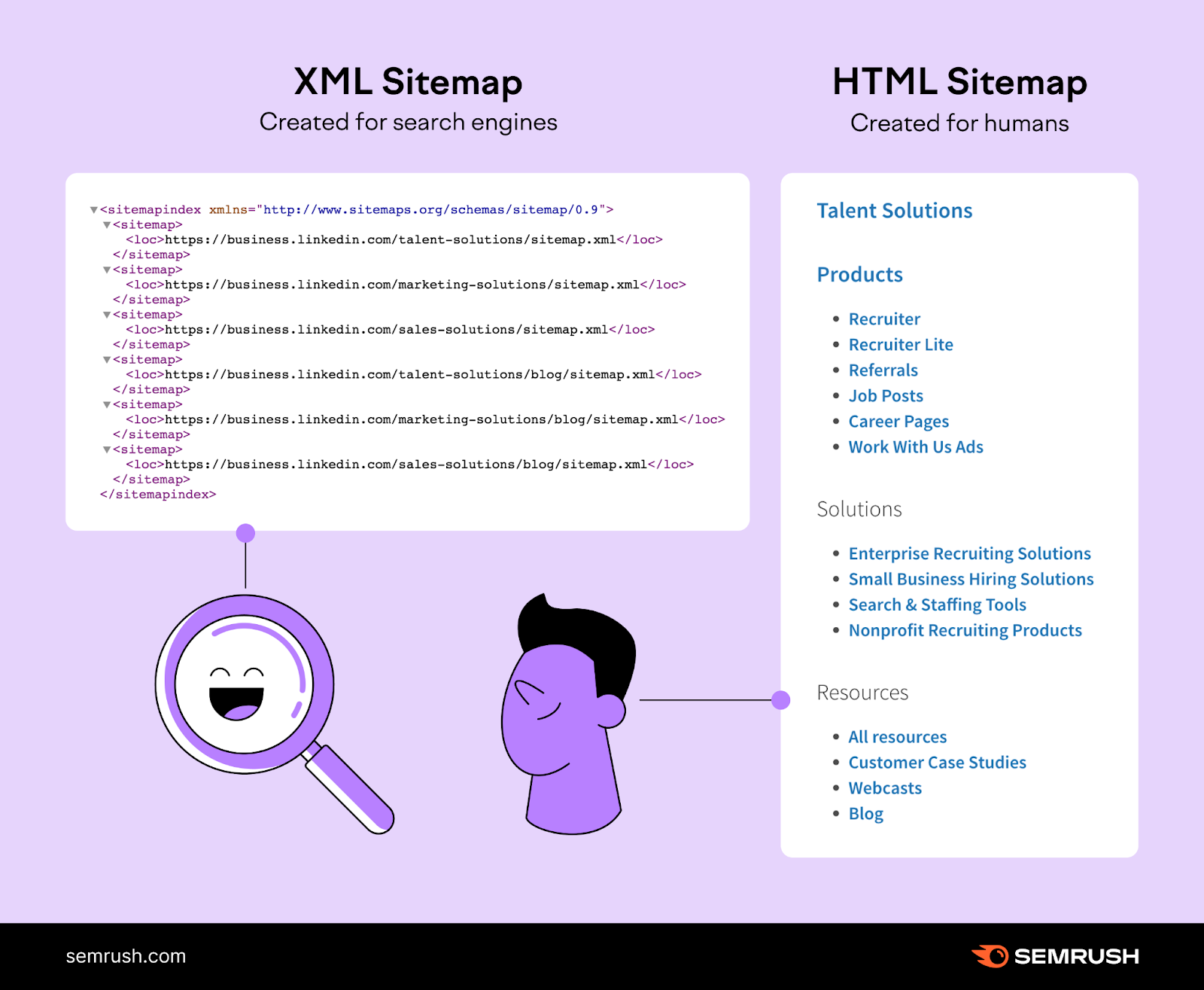
An HTML sitemap offers better navigation options between web pages for users, together with search engines.
How to Build an HTML Sitemap in Webflow
- Establish a new static web page named “Sitemap.”
- All primary pages need to appear as a hierarchical listing with clickable links.
- Perform updates to match the list when you modify or eliminate content from your site.
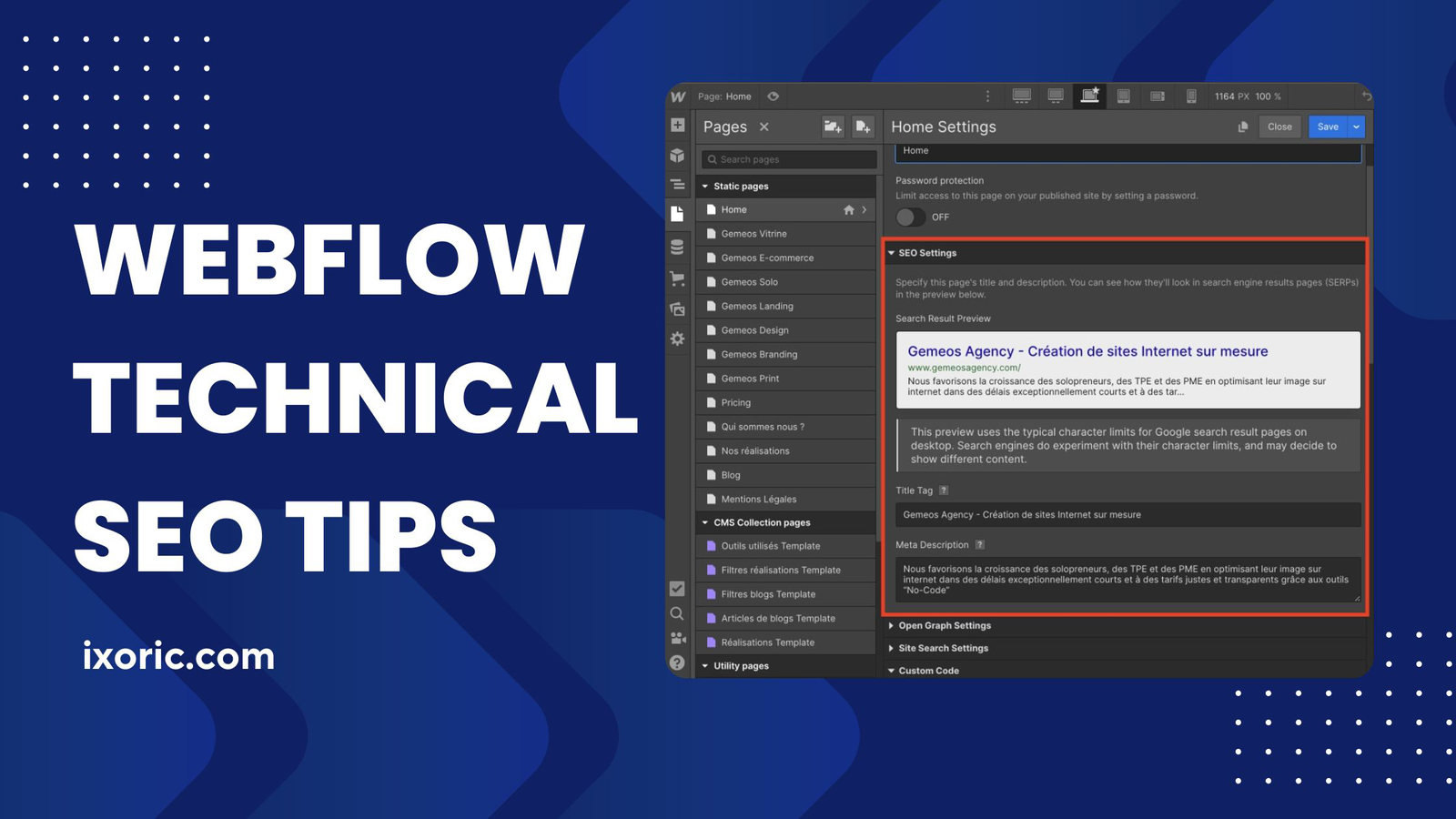
21. Manage Meta Tags
The search result presentation for your website heavily depends on proper meta tag implementation.
Optimization Tips
- Each title tag should be unique, with 50 to 60 characters that include a primary keyword.
- You should compose persuasive meta descriptions of 150–160 characters to motivate users to click through.
- The website should contain distinctive and complete meta tags on every page.
Final Thoughts
By implementing this set of technical SEO strategies,s your Webflow website will develop into an efficient digital property that performs strongly on search listings and provides smooth user interactions. We are offering the Best Advertising Agency in Patna at an affordable price.
Your corporation will establish lasting achievement through your work in resolving canonical problems when combined with redirect enhancements, speed improvements and accessibility improvements.
Ready to dominate search rankings? Start optimizing today with Ixoric!
Frequently Asked Questions of Webflow Technical SEO
Q: Which frequency is appropriate for SEO audits of my Webflow site?
Execute detailed SEO assessments every three months while performing quick survey points each month. Advanced SEO implementation inside Webflow is possible for users. The platform provides both strong built-in SEO functions and specific features to insert custom code for advanced optimization.
Q: Is Webflow good for SEO?
Webflow delivers robust SEO assets embedded into its system that can boost search engine optimization of your website when you know how to implement them correctly.
Q: Can I improve SEO without coding knowledge in Webflow?
Yes! Webflow offers numerous built-in SEO features that allow non-technical users to optimise their websites effectively through its user-friendly interface.
Q: How important are page speed and mobile responsiveness for SEO?
Extremely crucial. Google prioritizes fast-loading, mobile-friendly websites in search rankings. Aim for mobile optimization and page load times under 3 seconds.
Q: What’s the most critical technical SEO factor in Webflow?
While all factors are important, site structure, page speed, and mobile responsiveness have the most significant impact on search engine rankings.
Q: Do I need additional SEO tools with Webflow?
While Webflow provides robust SEO features, supplementary tools like Google Search Console, Google Analytics, and third-party SEO auditing tools can provide deeper insights.
Get Online SEO Consulting at No Cost Today.




Related Posts